Opera böngésző szükséges.
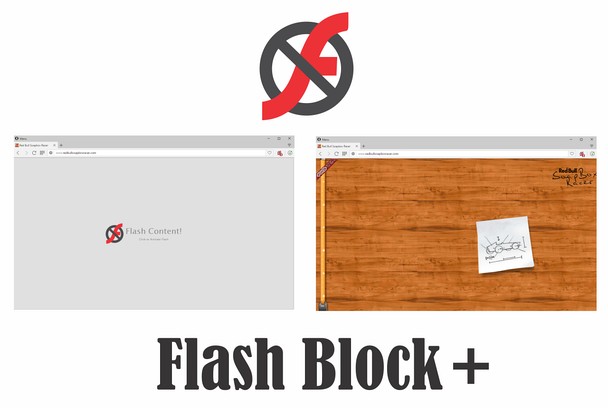
NoFlash (also named, Flash Block +) controls all Adobe Flash contents (including ads, games, video and music players) in webpages. As you browse, a placeholder frame(s) stating 'Flash Content' appears instead of the actual Flash. Clicking on the frame loads the original content. Moreover, you can white-list any website from toolbar-popup to disable the extension.
Important Features:
1. Allows you to block flash contents (including banners, games, video and music players) in all webpages.
2. Easily switch the extension On or Off from toolbar popup.
3. Add or remove websites to the white-list from toolbar popup.
4. An empty frame appears in place of the actual flash, clicking on the frame will load the flash.
Note: in order to report Bugs, please visit Addon's Homepage (http://mybrowseraddon.com/noflash.html) and fill the bug report form.
- Ez a kiegészítő hozzáfér az adatához az összes webhelyen.
- Ez a kiegészítő hozzáfér a lapokhoz és a böngészési tevékenységhez.
Képernyőképek
A kiegészítőről
- Letöltések
- 221 717
- Kategória
- Adatvédelem és biztonság
- Verzió
- 0.1.9
- Méret
- 104,9 KB
- Last update
- 2018. október 25.
- Licenc
- Copyright 2018 dr34polw
- Támogatási lap
- http://mybrowseraddon.com/noflash.html
Kapcsolódó
-
uBlock Origin
Végre egy hatékony blokkoló, amely kíméletes a processzorral és a memóriával.
Osztályzat: Összes értékelés száma: 5582
-
BlockGuard
BlockGuard protects you against SCAM sites in the Blockchain/Crypto Space
Osztályzat: Összes értékelés száma: 10
-
Browsec VPN
Experience the ultimate in VPN super unlimited proxy capabilities with our top-tier service for seamless and secure browsing.
Osztályzat: Összes értékelés száma: 2200
-
LastPass
LastPass is an award-winning password manager for secure credential management on any device.
Osztályzat: Összes értékelés száma: 319
-
Open in Tor Browser
Open current page or link in tor browser for better privacy
Osztályzat: Összes értékelés száma: 14