


 Opera böngésző szükséges.
- This extension can exchange messages with programs other than Opera.
- This extension can create rich notifications and display them to you in the system tray.
Képernyőképek

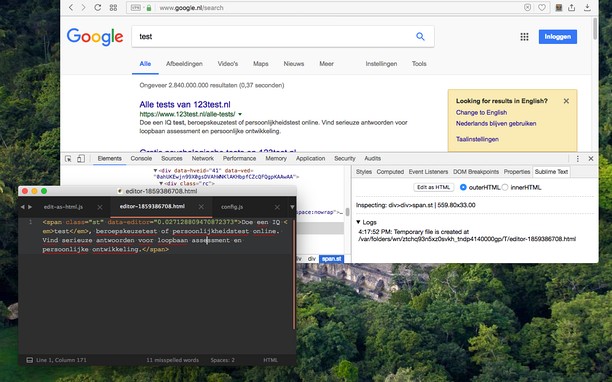
A kiegészítőről
- Letöltések
- 5 531
- Kategória
- Developer Tools
- Verzió
- 0.2.3
- Méret
- 185,5 KB
- Last update
- 2022. augusztus 24.
- Licenc
- Copyright 2022 joe-ertaba
- Szolgáltatói webhely
- https://add0n.com/edit-as-html.html?from=sublime
- Támogatási lap
- https://add0n.com/edit-as-html.html?from=sublime
- Forráskód lapja
- https://github.com/belaviyo/edit-as-html/
Kapcsolódó
-

sha1 hash generator
SHA1 hash generator (offline mode)
-

Download all Images
Könnyen menthetsz le képeket számos testreszabási lehetőséggel, például fájlmérettel, méretekkel és képtípussal.
-

Web Widgetizer
Web Widgetizer is a extension offering a range of features to enhance browsing. It allows users to create separate Opera windows for specific websites, manage favorite links, customize window dimensions, toggle auto-start, and open links in popup tabs via button click or shortcut (Ctrl + Shift + A). This versatile tool optimizes browsing convenience and efficiency.
-

Web Developer
Adds a toolbar button with various web developer tools. The official port of the Web Developer extension for Firefox.
-

Контур.Расширение