


 Opera böngésző szükséges.
- Ez a kiegészítő hozzáfér az adatához néhány webhelyen.
- Ez a kiegészítő hozzáfér a lapokhoz és a böngészési tevékenységhez.
Képernyőképek

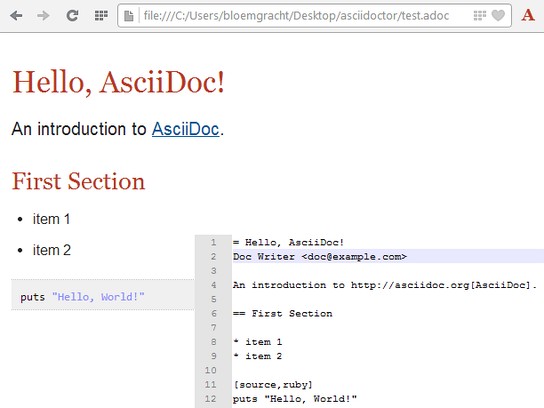
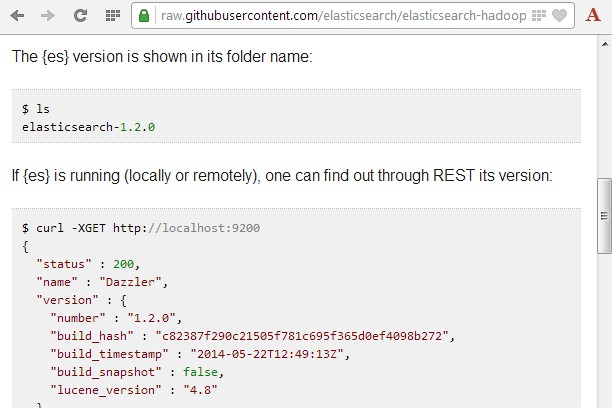
A kiegészítőről
- Letöltések
- 9 071
- Kategória
- Produktivitás
- Verzió
- 2.7.0
- Méret
- 3,9 MB
- Last update
- 2021. június 19.
- Licenc
- Támogatási lap
- https://github.com/asciidoctor/asciidoctor-browser-extension/issues
- Forráskód lapja
- https://github.com/asciidoctor/asciidoctor-browser-extension
Kapcsolódó
-

Take a Break
Reminds you to take a break at a customizable time frame.
-

Synballo
Your Ultimate Symbol Picker Extension & Emoji Keyboard for Enhanced Communication
-

Evernote Web Clipper
Use the Evernote extension to save things you see on the web into your Evernote account.
-

Atavi bookmarks
Visual bookmarks, bookmarks sync across various browsers and absolute safety for your bookmarks
-

RedForester Keeper Extension
RedForester extension to save web page quickly