


 Opera ब्राउज़र की आवश्यकता है।
- यह एक्सटेंशन कुछ वेबसाइट पर आपके डेटा तक पहुँच प्राप्त कर सकता है।
- यह एक्सटेंशन आपके टैब और ब्राउज़िंग गतिविधि तक पहुँच प्राप्त कर सकता है।
स्क्रीनशॉट

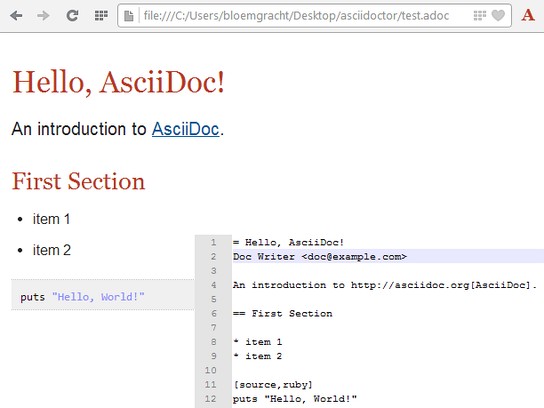
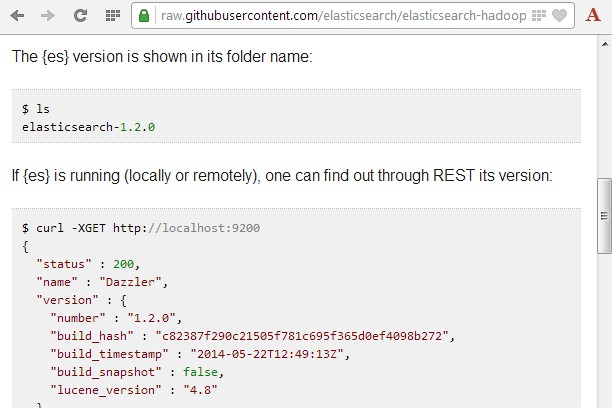
एक्सटेंशन के बारे में
- डाउनलोड
- 9110
- श्रेणी
- उत्पादकता
- संस्करण
- 2.7.0
- आकार
- 3.9 मेबी
- Last update
- 19 जून 2021
- लाइसेंस
- सहायता पृष्ठ
- https://github.com/asciidoctor/asciidoctor-browser-extension/issues
- स्रोत कोड पृष्ठ
- https://github.com/asciidoctor/asciidoctor-browser-extension
Related
-

Open in Chromium Browser
Open current page, link, or all tabs in the Chromium browser.
-

Macbook Air User Guide
This is all about Macbook air user guides tips and tricks.
-

Review Random Response Generator
it is a tool that automatically generates personalized and relevant responses to customer reviews.
-

Boomerang for Gmail™
Allows you to schedule messages to be sent or returned at a later date.
-

Evernote Web Clipper
Use the Evernote extension to save things you see on the web into your Evernote account.