נדרש דפדפן Opera.
Mirrors video vertically and horizontally, speeds up or slows down, rotates by 90°, and compresses video height and width — useful for correcting distorted videos on websites.
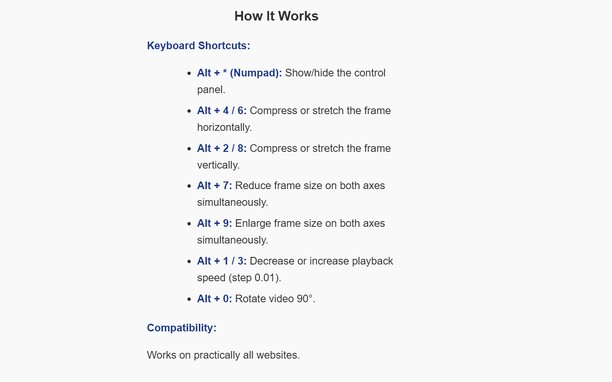
How It Works
Keyboard Shortcuts:
Alt + * (Numpad): Show/hide the control panel.
Alt + 4 / 6: Compress or stretch the frame horizontally.
Alt + 2 / 8: Compress or stretch the frame vertically.
Alt + 7: Reduce frame size on both axes simultaneously.
Alt + 9: Enlarge frame size on both axes simultaneously.
Alt + 1 / 3: Decrease or increase playback speed (step 0.01).
Alt + 0: Rotate video 90°.
Compatibility:
Works on practically all websites.
- הרחבה זו יכולה לגשת למידע שלך בכל אתרי האינטרנט.
צילומי מסך
אודות ההרחבה
- הורדות
- 23
- קטגוריה
- פרודוקטיביות
- גרסה
- 1.0.0
- גודל
- 15.7 ק"ב
- Last update
- 13 בינואר 2026
- רשיון
- מדיניות פרטיות
Related
-
Notepad
A simple yet powerful notepad with HTML5 support and more
דירוג: מספר דירוגים: 32
-
JavaScript Toggle On and Off
Toggle JavaScript engines (inline, data URL, remote, and external) on and off the easy way
דירוג: מספר דירוגים: 21
-
Evernote Web Clipper
Use the Evernote extension to save things you see on the web into your Evernote account.
דירוג: מספר דירוגים: 636
-
YouTube™ Stop AutoPlay Next
Stop YouTube from playing the next track, and auto navigate to the next suggestion (aka disable autoplay button)
דירוג: מספר דירוגים: 12
-
Atavi bookmarks
Visual bookmarks, bookmarks sync across various browsers and absolute safety for your bookmarks
דירוג: מספר דירוגים: 173