


 נדרש דפדפן Opera.
- הרחבה זו יכולה לגשת למידע שלך בכל אתרי האינטרנט.
- הרחבה זו יכולה להשפיע על הגדרות שמציינות האם אתרי אינטרנט יכולים להשתמש בתכונות כמו עוגיות, JavaScript ותוספים
- הרחבה זו יכולה לגשת ללשוניות ולפעילות הגלישה שלך.
צילומי מסך
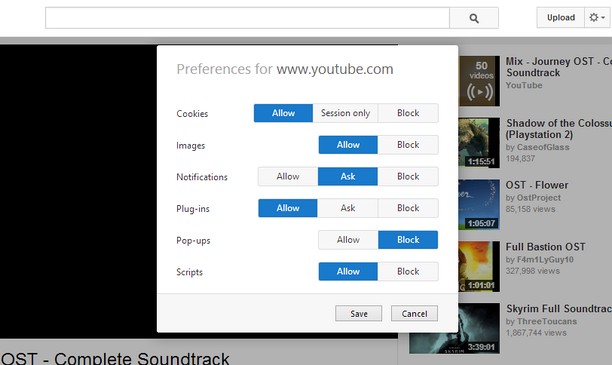
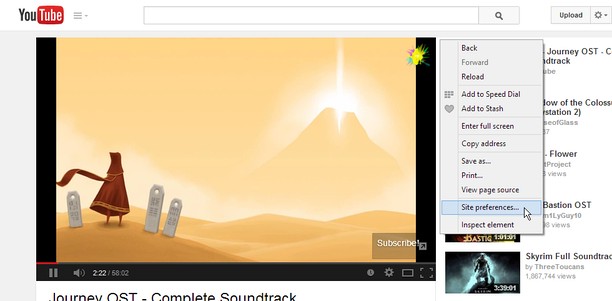
אודות ההרחבה
- הורדות
- 14426
- קטגוריה
- פרודוקטיביות
- גרסה
- 1.2
- גודל
- 45.8 ק"ב
- Last update
- 18 באוגוסט 2014
- רשיון
- דף תמיכה
- https://github.com/ChaosinaCan/SitePreferences/issues
- דף קוד מקור
- https://github.com/ChaosinaCan/SitePreferences
Related
-

Boomerang for Gmail™
Allows you to schedule messages to be sent or returned at a later date.
-

Evernote Web Clipper
Use the Evernote extension to save things you see on the web into your Evernote account.
-

Asciidoctor.js Live Preview
Render AsciiDoc (.ad, .adoc, .asc, .asciidoc) as HTML inside your browser!
-

Color Picker
Pick Color with various kinds of color pickers. Multiple options to choose color in HTML format are available.
-

Page Screenshot
Take a screenshot from the entire website with just one click!