נדרש דפדפן Opera.
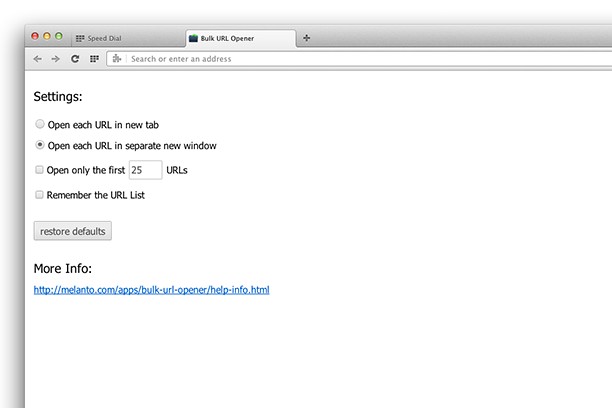
Bulk URL Opener just lets you open multiple URLs at once (in new tabs or windows).
Usage: Enter each URL in new line (you can paste the list if you prefer) and click the "Open All" button. The app will the open all the pages in separate tabs or windows (depending on your settings).
If an URL doesn't include scheme, it will default to HTTP. In other words, you may skip the protocol part for "http://" sites and enter only the meaningful part. For example -- if you type "domain.com" it will be automatically translated to "http://domain.com".
- הרחבה זו יכולה לגשת למידע שאתה מעתיק ומדביק.
- This extension can write data into the clipboard.
- הרחבה זו יכולה לגשת ללשוניות ולפעילות הגלישה שלך.
צילומי מסך
אודות ההרחבה
- הורדות
- 31559
- קטגוריה
- פרודוקטיביות
- גרסה
- 1.0.0.2
- גודל
- 41.6 ק"ב
- Last update
- 3 באפריל 2015
- רשיון
- Copyright 2015 melanto
Related
-
goviettel
GoViettel provides space,ideal server infrastructure,smart management tools.
דירוג: מספר דירוגים: 0
-
Atavi bookmarks
Visual bookmarks, bookmarks sync across various browsers and absolute safety for your bookmarks
דירוג: מספר דירוגים: 170
-
Evernote Web Clipper
Use the Evernote extension to save things you see on the web into your Evernote account.
דירוג: מספר דירוגים: 610
-
DragFree (Mouse+Char Count+Image+Capture)
Restores mouse drag, right-click, and image save on blocked sites. Adds bulk image save, char counter, and page capture.
דירוג: מספר דירוגים: 0
-
Snip Shot
Snip Shot is a user-friendly browser extension that simplifies the process of taking screenshots. With its one-click operation and intuitive user interface, users can quickly and easily capture any part of their screen and save it as an image. Snip Shot's minimalist design makes it a seamless addition to any browser, while its efficiency and usability make it the perfect tool for anyone who needs to take screenshots regularly.
דירוג: מספר דירוגים: 3