Feumar brabhsair Opera.
Mirrors video vertically and horizontally, speeds up or slows down, rotates by 90°, and compresses video height and width — useful for correcting distorted videos on websites.
How It Works
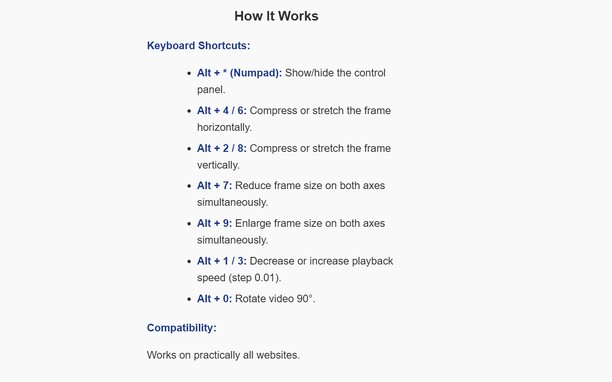
Keyboard Shortcuts:
Alt + * (Numpad): Show/hide the control panel.
Alt + 4/ 6(Numpad) Compress or stretch the frame horizontally.
Alt + 2/ 8(Numpad): Compress or stretch the frame vertically.
Alt + 5(Numpad) Reset all settings
Alt + 7(Numpad): Reduce frame size on both axes simultaneously.
Alt + 9(Numpad): Enlarge frame size on both axes simultaneously.
Alt + 1 / 3(Numpad): Decrease or increase playback speed (step 0.01).
Alt + 0(Numpad): Rotate video 90°.
Compatibility:
Works on practically all websites.
- Gheibh an leudachadh seo cothrom air do chuid dàta air gach làrach-lìn.
Glacaidhean-sgrìn
Mun leudachan
- Na chaidh a luchdadh a-nuas
- 317
- Roinn-seòrsa
- Coileanadh
- Tionndadh
- 1.2.0
- Meud
- 26.8 KB
- Last update
- 20 Am Faoilleach 2026
- Ceadachas
- Poileasaidh Prìobhaideachd
Related
-
Evernote Web Clipper
Use the Evernote extension to save things you see on the web into your Evernote account.
Rangachadh: Rangachaidhean uile gu lèir: 635
-
Atavi bookmarks
Visual bookmarks, bookmarks sync across various browsers and absolute safety for your bookmarks
Rangachadh: Rangachaidhean uile gu lèir: 173
-
iForum Opera
Rangachadh: Rangachaidhean uile gu lèir: 3
-
TesLab Sync
Плагин для обмена данными между программным обеспечением TesLab и ФГИС ФСА
Rangachadh: Rangachaidhean uile gu lèir: 0
-
YouTube™ All Flash® Player
Switch all YouTube™ Videos to Adobe Flash® Player.
Rangachadh: Rangachaidhean uile gu lèir: 11