


 Feumar brabhsair Opera.
- Gheibh an leudachadh seo cothrom air do chuid dàta air gach làrach-lìn.
- ’S urrainn dha leudachan seo na roghainnean atharrachadh a dh’innseas am faod làraichean-lìn gleusan mar bhriosgaidean, JavaScript is plugain a chleachdadh.
- Gheibh an leudachadh seo cothrom air na tabaichean agad is na bhrabhsaicheas tu.
Glacaidhean-sgrìn
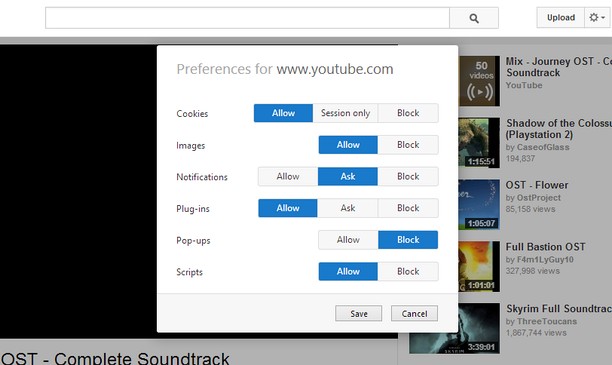
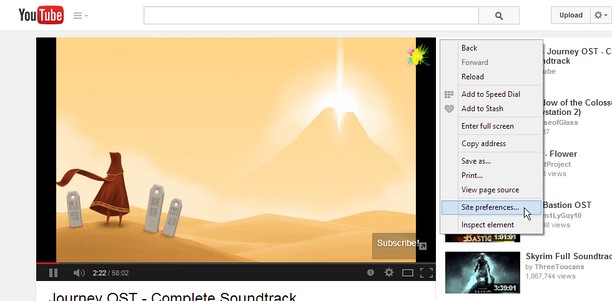
Mun leudachan
- Na chaidh a luchdadh a-nuas
- 14452
- Roinn-seòrsa
- Coileanadh
- Tionndadh
- 1.2
- Meud
- 45.8 KB
- Last update
- 18 An Lùnastal 2014
- Ceadachas
- Duilleag na taice
- https://github.com/ChaosinaCan/SitePreferences/issues
- Duilleag a' chòd tùsail
- https://github.com/ChaosinaCan/SitePreferences
Related
-

CSFD Magnets
Magnet links for CSFD films
-

Shortkeys
Easily customizable keyboard shortcuts for Opera
-

Image Size Converter
Image Size Converter is a powerful yet user-friendly Opera extension that allows you to quickly resize images right in your browser. With an elegant interface and intuitive controls, you can modify image dimensions, choose output formats, and adjust quality settings with just a few clicks - all without relying on external websites or applications.
-

Evernote Web Clipper
Use the Evernote extension to save things you see on the web into your Evernote account.
-

Boomerang for Gmail™
Allows you to schedule messages to be sent or returned at a later date.