


 Opera blêder is fereaske.
- This extension can exchange messages with programs other than Opera.
- This extension can create rich notifications and display them to you in the system tray.
Skermprint

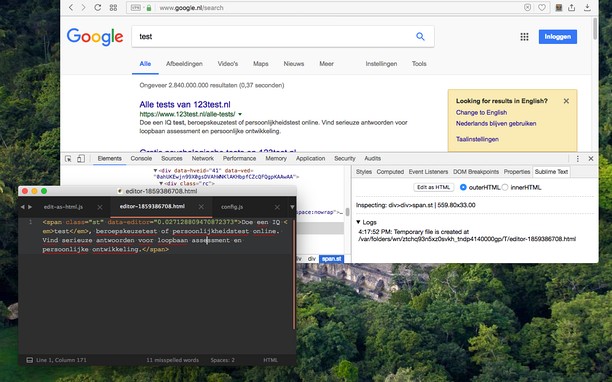
Oer de tafoeging
- Ynladen
- 5524
- Kategory
- Developer Tools
- Ferzje
- 0.2.3
- Grutte
- 185.5 KB
- Last update
- Aug. 24, 2022
- Lisinsje
- Copyright 2022 joe-ertaba
- Tsjinst webstee
- https://add0n.com/edit-as-html.html?from=sublime
- Stipe side
- https://add0n.com/edit-as-html.html?from=sublime
- Boarne koade side
- https://github.com/belaviyo/edit-as-html/
Related
-

Web Widgetizer
Web Widgetizer is a extension offering a range of features to enhance browsing. It allows users to create separate Opera windows for specific websites, manage favorite links, customize window dimensions, toggle auto-start, and open links in popup tabs via button click or shortcut (Ctrl + Shift + A). This versatile tool optimizes browsing convenience and efficiency.
-

Web Developer
Adds a toolbar button with various web developer tools. The official port of the Web Developer extension for Firefox.
-

Copy Title And Url
Copy the title and url in markdown, pukiwiki, html format.
-

Font Finder
An easy-to-use font inspector to get CSS styles of the selected element
-

BuiltWith Technology Profiler
Find out what the website you are visiting is built with using this extension.