


 Le navigateur Opera est nécessaire.
Copie d'écran
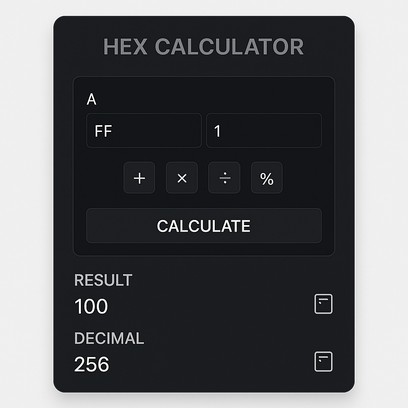
À propos de l'extension
- Téléchargements
- 1 253
- Catégorie
- Outils de développement
- Version
- 1.0.0
- Taille
- 4,8 Kio
- Dernière mise à jour
- 28 novembre 2025
- Licence
- Politique du respect de la vie privée
- Site web du service
- https://hexcalculator.org/
- Page de support
- https://hexcalculator.org/contact/
Similaires
-

retire.js
Finds the JavaScript libraries a page uses and their known vulnerabilities (CVE, GHSA), with an always up-to-date database.
-

Web Developer
Adds a toolbar button with various web developer tools. The official port of the Web Developer extension for Firefox.
-

W3C Markup Validation Service
This validator checks the markup validity of Web documents in HTML, XHTML, SMIL, MathML, etc.
-

Web Widgetizer
Web Widgetizer is a extension offering a range of features to enhance browsing. It allows users to create separate Opera windows for specific websites, manage favorite links, customize window dimensions, toggle auto-start, and open links in popup tabs via button click or shortcut (Ctrl + Shift + A). This versatile tool optimizes browsing convenience and efficiency.
-

Design Mode
Modifiez le contenu de n'importe quelle page en passant en mode conception, où vous pouvez modifier le contenu et faire glisser les images comme dans un éditeur Word.