Edellyttää Opera-selaimen.
Mirrors video vertically and horizontally, speeds up or slows down, rotates by 90°, and compresses video height and width — useful for correcting distorted videos on websites.
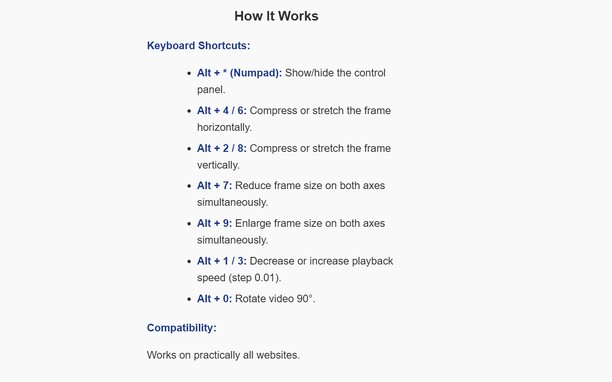
How It Works
Keyboard Shortcuts:
Alt + * (Numpad): Show/hide the control panel.
Alt + 4 / 6: Compress or stretch the frame horizontally.
Alt + 2 / 8: Compress or stretch the frame vertically.
Alt + 7: Reduce frame size on both axes simultaneously.
Alt + 9: Enlarge frame size on both axes simultaneously.
Alt + 1 / 3: Decrease or increase playback speed (step 0.01).
Alt + 0: Rotate video 90°.
Compatibility:
Works on practically all websites.
- Laajennuksella on pääsy tietoihisi kaikissa verkkosivustoissa.
Näyttökuvat
Tietoja laajennuksesta
- Lataukset
- 23
- Kategoria
- Tuotteliaisuus
- Versio
- 1.0.0
- Koko
- 15,7 KB
- Last update
- 13. tammikuuta 2026
- Lisenssi
- Tietosuojaseloste
Related
-
Image Size Converter
Image Size Converter is a powerful yet user-friendly Opera extension that allows you to quickly resize images right in your browser. With an elegant interface and intuitive controls, you can modify image dimensions, choose output formats, and adjust quality settings with just a few clicks - all without relying on external websites or applications.
Arviot: Arvioita yhteensä: 1
-
Boomerang for Gmail™
Allows you to schedule messages to be sent or returned at a later date.
Arviot: Arvioita yhteensä: 59
-
Evernote Web Clipper
Käytä Evernote-laajennusta tallentaaksesi verkossa näkemiäsi asioita Evernote-tunnuksellesi.
Arviot: Arvioita yhteensä: 636
-
Atavi bookmarks
Visuaaliset kirjanmerkit, kirjanmerkkien synkronointi selaimesta toiseen ja kirjanmerkkiesi ehdoton turvallisuus
Arviot: Arvioita yhteensä: 173
-
Print this Image
Print Image of web page, with rapid preview, using context menu
Arviot: Arvioita yhteensä: 1