


 Edellyttää Opera-selaimen.
- This extension can write data into the clipboard.
- Laajennuksella on pääsy välilehdillesi ja selaushistoriaasi.
Näyttökuvat


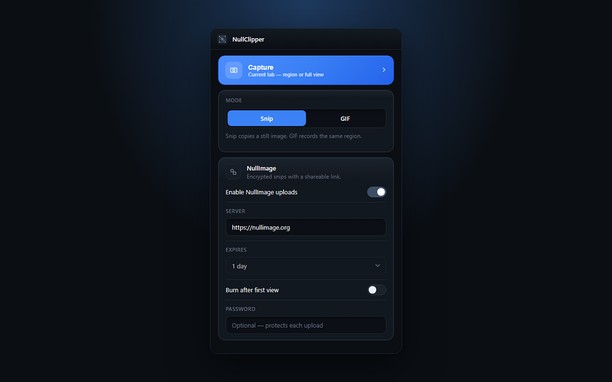
Tietoja laajennuksesta
- Lataukset
- 32
- Kategoria
- Tuotteliaisuus
- Versio
- 1.0.0
- Koko
- 148,0 KB
- Last update
- 22. syyskuuta 2026
- Lisenssi
- Tietosuojaseloste
- Palvelun verkkosivusto
- https://nullimage.org/nullclipper
- Tukisivu
- https://github.com/fleames/NullClipper/issues
- Lähdekoodisivu
- https://github.com/fleames/NullClipper
Related
-

Boomerang for Gmail™
Allows you to schedule messages to be sent or returned at a later date.
-

PackagesLab
This blog contains all types of Packages in detail like Internet, SMS, and Calls. You can also compare packages between networks.
-

Evernote Web Clipper
Käytä Evernote-laajennusta tallentaaksesi verkossa näkemiäsi asioita Evernote-tunnuksellesi.
-

Multi URL Opener
Open multiple URLs at once, saving time and improving productivity.
-

SourceTraq: Git Repo Review Metrics
SourceTraq is your go-to tool for analyzing pull request trends, activities, and commit histories across multiple code repositories.