


 Edellyttää Opera-selaimen.
- This extension can exchange messages with programs other than Opera.
- This extension can create rich notifications and display them to you in the system tray.
Näyttökuvat

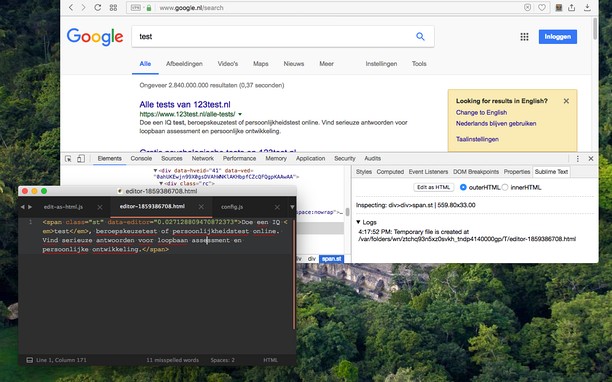
Tietoja laajennuksesta
- Lataukset
- 5 524
- Kategoria
- Developer Tools
- Versio
- 0.2.3
- Koko
- 185,5 KB
- Last update
- 24. elokuuta 2022
- Lisenssi
- Copyright 2022 joe-ertaba
- Palvelun verkkosivusto
- https://add0n.com/edit-as-html.html?from=sublime
- Tukisivu
- https://add0n.com/edit-as-html.html?from=sublime
- Lähdekoodisivu
- https://github.com/belaviyo/edit-as-html/
Related
-

Fontstorage
The simplest extension for identifying and selecting fonts on a website.
-

Web Developer
Adds a toolbar button with various web developer tools. The official port of the Web Developer extension for Firefox.
-

Sitemap Explorer: Check and View XML Sitemaps
This extension helps you find, inspect, export, and view XML Sitemap files for any site you navigate in a browser.
-

CSS & JS Injector
Easily customize your browsing experience CSS & JS Injector is a tool for developers, designers, and power users. Apply custom CSS styles and JavaScript to specific websites effortlessly. Boost productivity and customize the look, feel, and functionality of websites without altering its source code.
-

Web Widgetizer
Web Widgetizer is a extension offering a range of features to enhance browsing. It allows users to create separate Opera windows for specific websites, manage favorite links, customize window dimensions, toggle auto-start, and open links in popup tabs via button click or shortcut (Ctrl + Shift + A). This versatile tool optimizes browsing convenience and efficiency.