Opera browser required.
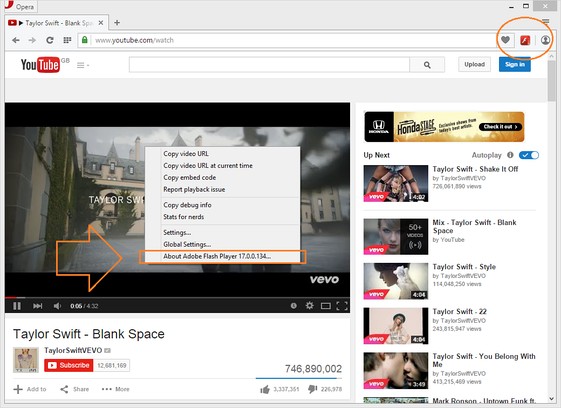
YouTube™ Flash-HTML allows you to play YouTube Videos in Flash or HTML5 player.
Important Features:
1. Allows you to play YouTube Videos in Flash or HTML5 player.
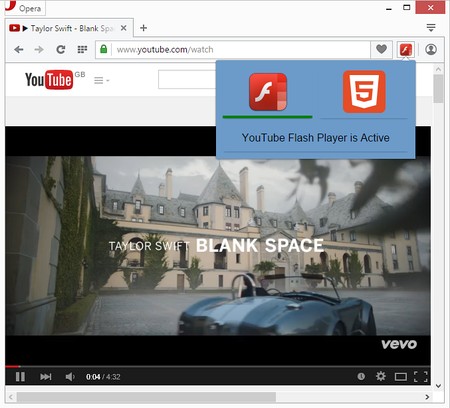
2. Easily switch the player type from toolbar popup.
3. Flash player consumes less resources (i.e. CPU and RAM) and offers more resolution choices comparing to HTML5 Player.
4. HTML5 player is useful when Adobe Flash is disabled by your company or school. Note: to enable HTML5 player you need to activate HTML5 from: https://www.youtube.com/html5
Note 1: To enable HTML5 player you need to activate HTML5 from: https://www.youtube.com/html5
Note 2: To report Bugs, please go to Addon's homepage: http://mybrowseraddon.com/youtube-flash-html.html
- This extension can access your data on all websites.
- This extension can access your tabs and browsing activity.
Screenshots
About the extension
- Downloads
- 419,503
- Category
- Productivity
- Version
- 0.1.4
- Size
- 81.8 KB
- Last update
- 20 Nov 2017
- Licence
- Copyright 2017 elennorphen
- Support page
- http://mybrowseraddon.com/youtube-flash-html.html
Related
-
Activate Steam Key from Context Menu
Use the right-click menu to activate selected steam key
Rating: Total number of ratings: 7
-
Evernote Web Clipper
Use the Evernote extension to save things you see on the web into your Evernote account.
Rating: Total number of ratings: 630
-
Atavi bookmarks
Visual bookmarks, bookmarks sync across various browsers and absolute safety for your bookmarks
Rating: Total number of ratings: 176
-
Speed Tweaks
Speed up your browser with few tweaks via toolbar popup!
Rating: Total number of ratings: 13
-
Url Shortener
The best way to create short links using T.LY, JPEG.ly, Bitly, Rebrandly, TinyUrl, and more!
Rating: Total number of ratings: 18