


 Opera browser required.
- This extension can access your data on all websites.
- This extension can access your data on some websites.
- This extension can access your tabs and browsing activity.
Screenshots

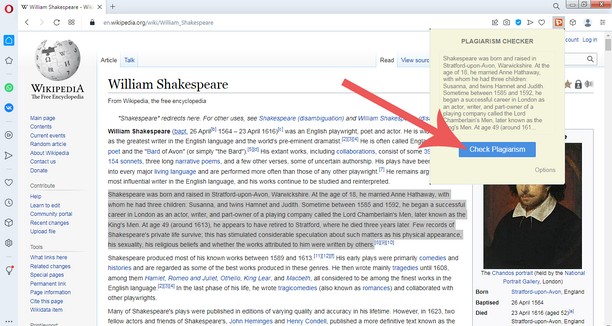

About the extension
- Downloads
- 703
- Category
- Search
- Version
- 1.0
- Size
- 37.1 KB
- Last update
- 3 Dec 2022
- Licence
- Copyright 2022 plagiarisma
- Service website
- http://plagiarisma.net
Related
-

GooglePanicImages
Displays a direct 'View' link and 'image resolution/dimensions' and 'size in byte/kb or mb" on images at Google Image search.
-

TinEye Reverse Image Search
This is the official TinEye Opera extension. Find out where an image came from, how it's used, or find higher resolution versions.
-

Поиск на Яндекс.Карте
-

Search with Wikipedia™
Select and search in Wikipedia with mouse right-click.
-

Trufflepiggy - Context Search
The context search for all of us: quick, easy & fully customizable. Perfect for translations, price comparisons, image searches,…