Opera browser required.
Briskine was previously known as Gorgias Templates.
Write emails faster with templates.
Create templates out of repetitive pieces of text. Insert them in your emails within seconds with shortcuts, and respond faster to your customers!
➤ Use for: Customer Support, Sales, Personal productivity
➤ Officially supported: Gmail, Outlook, Facebook, LinkedIn, Fastmail, Yahoo Mail.
★ Keyboard shortcuts (or snippets)
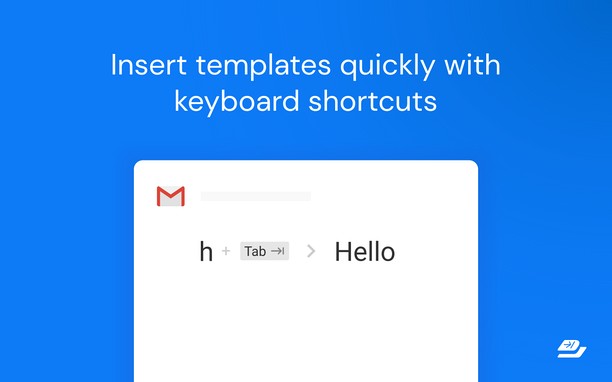
You’re always ending your emails with “Kind regards, Ken”? With keyboard shortcuts, you can type ‘kr’ and then press the ‘TAB’ key and get the same result only faster!
★ Create your own templates
You find yourself writing repetitive pieces of text in your emails? Make it a template! So now, you can use a shortcut to insert this template and respond to an email within seconds.
Templates are comparable to Canned Responses in Gmail, or Macros in Zendesk, but are faster and easier to customize.
★ Variables
Most of your emails start with “Hello firstname”? Press ‘h’ and then the ‘TAB’ key and it will write “Hello Jennifer” (if you’re writing to Jennifer, of course ; ) )
★ Search
Don’t remember your shortcuts? Search and insert templates right inside the Compose box.
★ Share templates with your team (Premium)
Make sure everyone has access to all the company templates and set a tone for your external emails using templates.
Find out more at https://www.briskine.com/
Your feedback is welcome at support@briskine.com
- This extension can access your data on all websites.
- This extension can access your tabs and browsing activity.
- This extension can store an unlimited amount of client-side data.
Screenshots
About the extension
- Downloads
- 31,162
- Category
- Productivity
- Version
- 7.7.0
- Size
- 403.8 KB
- Last update
- 22 Feb 2023
- Licence
- Privacy policy
- Service website
- https://www.briskine.com/
- Support page
- https://help.briskine.com/
- Source code page
- https://github.com/Briskine/briskine
Related
-
Snip Shot
Snip Shot is a user-friendly browser extension that simplifies the process of taking screenshots. With its one-click operation and intuitive user interface, users can quickly and easily capture any part of their screen and save it as an image. Snip Shot's minimalist design makes it a seamless addition to any browser, while its efficiency and usability make it the perfect tool for anyone who needs to take screenshots regularly.
Rating: Total number of ratings: 3
-
Evernote Web Clipper
Use the Evernote extension to save things you see on the web into your Evernote account.
Rating: Total number of ratings: 630
-
Data Converter
Convert Kilobytes to Bytes and vice versa in one click
Rating: Total number of ratings: 1
-
Atavi bookmarks
Visual bookmarks, bookmarks sync across various browsers and absolute safety for your bookmarks
Rating: Total number of ratings: 176
-
Stylish World Clock
Stylish World Clock - Displays a list of World Clocks with customizable skins.
Rating: Total number of ratings: 15