Opera-Browser erforderlich.
Do you often come across content that is too interesting to close it, but you don't have time to read it at the moment?
Of course you do. And you probably do one of these two things.
You leave the tab open... And another one. And then another one... This can quickly get messy!
You save it to bookmarks, but it introduces a disorder among the important stuff you keep there - besides, bookmarks are not so lightweight to manage. At least not by one click.
Well, FleetMarks try to be something in-between.
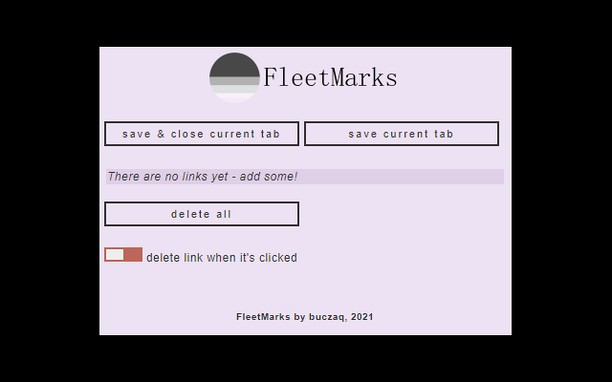
This browser plugin introduces lightweight bookmarks. They are accessible with one click in one place. You can easily add a page to FleetMarks and close its tab within one operation. And when you open the bookmark, it disappears from the list.
Isn't it wonderful?! Well, I guess it's not - let's have some respect to the superlatives.
But it's still pretty cool, right?
Bildschirmfotos
Über die Erweiterung
- Downloads
- 604
- Kategorie
- Barrierefreiheit
- Version
- 1.2.1
- Größe
- 18,1 KB
- Letztes Update
- 19. Juli 2022
- Lizenz
- Datenschutzerklärung
- Website des Diensts
- https://github.com/buczaq/FleetMarks
- Supportseite
- https://github.com/buczaq/FleetMarks/issues
- Quellcode-Seite
- https://github.com/buczaq/FleetMarks
Ähnliche
-
Enable Right Mouse Click
Mit der Erweiterung Rechte Maustaste aktivieren können Sie auf allen Seiten, die das Kopieren von Text und Kontextmenüs einschränken, die entsprechende rechte Maustaste aktivieren.
Bewertung: Gesamte Bewertungen: 765
-
Segway Ninebot S Max vs S Plus
Are you looking for the best self balancing scooter to buy for your daily commute? Then the Segway Ninebot S Max vs S Plus comparison is perfect for you.
Bewertung: Gesamte Bewertungen: 2
-
Go Party Script
Accelerate your sales by using Go Party Scripts for your next Facebook Party.
Bewertung: Gesamte Bewertungen: 0
-
DGME
DGME Employee Login Portal Can Access Them My Pay & Info, Payment Schedule, Attendance, Payroll Reports, Login, and Check Benefits.
Bewertung: Gesamte Bewertungen: 0
-
Zoom
Vergrößern oder verkleinern auf einer Internetseite, durch Benutzung des Vergrößernknopfes, für bequemeres lesen.
Bewertung: Gesamte Bewertungen: 204