


 Opera-browseren kræves.
- Denne udvidelse kan få adgang til dine data på alle websteder.
- Denne udvidelse kan få adgang til dine faner og din browseraktivitet.
Skærmbilleder
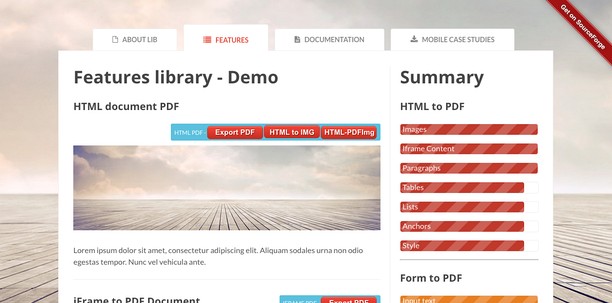


Om udvidelsen
- Antal downloads
- 31.909
- Kategori
- Developer Tools
- Version
- 2.1.4
- Størrelse
- 1,6 MB
- Last update
- 2. juni 2017
- Licens
- Beskyttelse af personlige oplysninger
- Websted for tjeneste
- http://mediamaster.eu/
- Supportside
- http://ulmdevice.altervista.org/pdfapihtml5/
- Kildekodeside
- http://ulmdevice.altervista.org/pdfapihtml5/
Related
-

TestCase Studio Pro
TestCase Studio Pro record the user actions performed on a web application in English Sentences.
-

Web Developer
Adds a toolbar button with various web developer tools. The official port of the Web Developer extension for Firefox.
-

retire.js
Scanning website for vulnerable js libraries
-

CSS & JS Injector
Easily customize your browsing experience CSS & JS Injector is a tool for developers, designers, and power users. Apply custom CSS styles and JavaScript to specific websites effortlessly. Boost productivity and customize the look, feel, and functionality of websites without altering its source code.
-

Web Widgetizer
Web Widgetizer is a extension offering a range of features to enhance browsing. It allows users to create separate Opera windows for specific websites, manage favorite links, customize window dimensions, toggle auto-start, and open links in popup tabs via button click or shortcut (Ctrl + Shift + A). This versatile tool optimizes browsing convenience and efficiency.