


 Opera-browseren kræves.
- This extension can write data into the clipboard.
- Denne udvidelse kan få adgang til dine faner og din browseraktivitet.
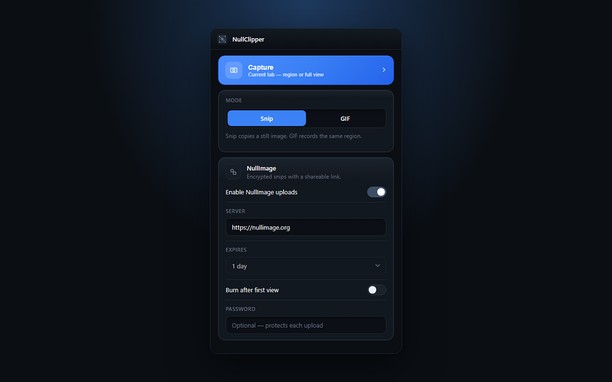
Skærmbilleder


Om udvidelsen
- Antal downloads
- 32
- Kategori
- Produktivitet
- Version
- 1.0.0
- Størrelse
- 148,0 KB
- Last update
- 22. september 2026
- Licens
- Beskyttelse af personlige oplysninger
- Websted for tjeneste
- https://nullimage.org/nullclipper
- Supportside
- https://github.com/fleames/NullClipper/issues
- Kildekodeside
- https://github.com/fleames/NullClipper
Related
-

Google™ Keep
Google Keep is the easiest way to store your notes while you browse internet
-

Evernote Web Clipper
Brug Evernote-udvidelsen til at gemme ting du ser på nettet på din Evernote-konto.
-

Boomerang for Gmail™
Allows you to schedule messages to be sent or returned at a later date.
-

Color Picker
Pick Color with various kinds of color pickers. Multiple options to choose color in HTML format are available.
-

Simple Notes
Simple notes in a panel, with a context menu item to copy text to a note.