


 Opera-browseren kræves.
- Denne udvidelse kan få adgang til dine data, når du kopierer og indsætter.
- This extension can write data into the clipboard.
- Denne udvidelse kan få adgang til dine faner og din browseraktivitet.
Skærmbilleder

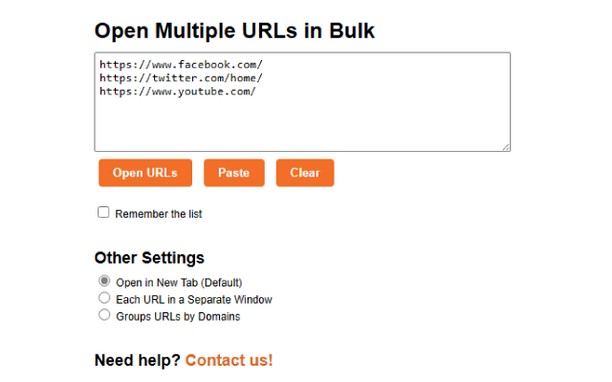
Om udvidelsen
- Antal downloads
- 1.582
- Kategori
- Produktivitet
- Version
- 1.5
- Størrelse
- 4,9 KB
- Last update
- 18. august 2023
- Licens
- Copyright 2023 Meetanshi
- Websted for tjeneste
- https://meetanshi.com/
- Supportside
- https://meetanshi.com/contacts?utm_source=opera_addon&utm_medium=addon&utm_campaign=bulkurlopener
Related
-

NeoBuxOx
NeoBuxOx adds helpful information to NeoBux referral listings and statistics page. Designed to be fast, clean and light.
-

Atavi bookmarks
Visual bookmarks, bookmarks sync across various browsers and absolute safety for your bookmarks
-

Evernote Web Clipper
Brug Evernote-udvidelsen til at gemme ting du ser på nettet på din Evernote-konto.
-

Open in IE™
Open links in IE (Internet Explorer)
-

Open in VLC media player
Audio- und Videostreams direkt an den bekannten VLC™ Media Player senden