Патрабуецца браўзер Opera.
Window Resizer is an addon that lets you easily re-size and re-position the current window to your desired values.
Simply open toolbar popup UI and click on the desired layout set (size & position). Once you click a layout, the window will be positioned and resized to the chosen layout. There are 20 predefined layouts available to choose from in the toolbar popup.
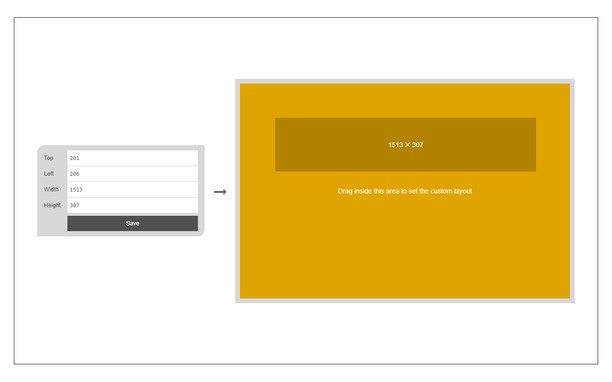
If you need a custom layout, please click on the - Add a new layout - button at the top left corner in popup UI. A new tab will be open with a custom design layout UI. Simply drag your desired size within the orange area, then click on the - Save - button to store the custom layout. The new layout will be added to the popup UI.
Note 1: icons within toolbar popup UI are draggable and the new order will be auto-saved to the memory.
Note 2: to report bugs, please fill the bug report form on the addon homepage (https://mybrowseraddon.com/window-resizer.html).
Здымкі экрану
Пра пашырэньне
- Загрузкі
- 20287
- Катэгорыя
- Прадукцыйнасьць
- Вэрсія
- 0.1.6
- Памер
- 45.4 КБ
- Last update
- сакавік 31, 2023
- Ліцэнзія
- Copyright 2023 kelvinbarko
- Старонка падтрымкі
- https://mybrowseraddon.com/window-resizer.html
Related
-
Evernote Web Clipper
Use the Evernote extension to save things you see on the web into your Evernote account.
Адзнака: Адзнакаў: 633
-
Page Screenshot
Take a screenshot from the entire website with just one click!
Адзнака: Адзнакаў: 49
-
put.io
Adds an option to right-click menu that downloads the link with put.io.
Адзнака: Адзнакаў: 1
-
Testing Toolkit
Testing Toolkit is a lightweight, multi-tool browser extension that lets you inspect and switch User-Agent strings, capture and annotate screens, throttle network presets, and quickly encode/decode Base64—all from one polished popup.
Адзнака: Адзнакаў: 0
-
Atavi bookmarks
Visual bookmarks, bookmarks sync across various browsers and absolute safety for your bookmarks
Адзнака: Адзнакаў: 172